Sync with Firefox1.3
Publisher Description
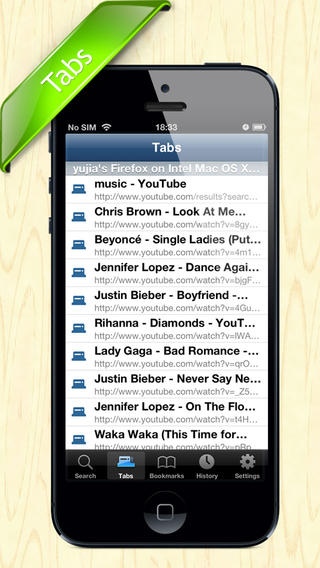
"Sync with Firefox" will sync Firefox's bookmarks, history and tabs into your iPhone and iPad/iPod Touch devices!
FEATURE
You can leave you computer, pick your iPhone or iPad, use this app to continue browsing.
"Sync with Firefox" takes the security of your data very seriously. All data is stored in Firefox server that only you can read.
It's just so much easier. Do not need to install any plug-ins.
SUPPORT
Comprehensive support information is available online at http://www.hanmingjie.com/.
If you have any inquiries or questions, regarding this application, please contact us: hanmingjie@gmail.com. We will get back to you as soon as possible.This app will continue to be upgraded and improved to achieve the 100% customer satisfaction.
Requires iOS 5.1 or later. Compatible with iPhone, iPad, and iPod touch.
About Sync with Firefox
The company that develops Sync with Firefox is Han Mingjie. The latest version released by its developer is 1.3.
To install Sync with Firefox on your iOS device, just click the green Continue To App button above to start the installation process. The app is listed on our website since 2013-03-27 and was downloaded 6 times. We have already checked if the download link is safe, however for your own protection we recommend that you scan the downloaded app with your antivirus. Your antivirus may detect the Sync with Firefox as malware if the download link is broken.
How to install Sync with Firefox on your iOS device:
- Click on the Continue To App button on our website. This will redirect you to the App Store.
- Once the Sync with Firefox is shown in the iTunes listing of your iOS device, you can start its download and installation. Tap on the GET button to the right of the app to start downloading it.
- If you are not logged-in the iOS appstore app, you'll be prompted for your your Apple ID and/or password.
- After Sync with Firefox is downloaded, you'll see an INSTALL button to the right. Tap on it to start the actual installation of the iOS app.
- Once installation is finished you can tap on the OPEN button to start it. Its icon will also be added to your device home screen.
